
Manage Your Orders
How to Manage Your Orders
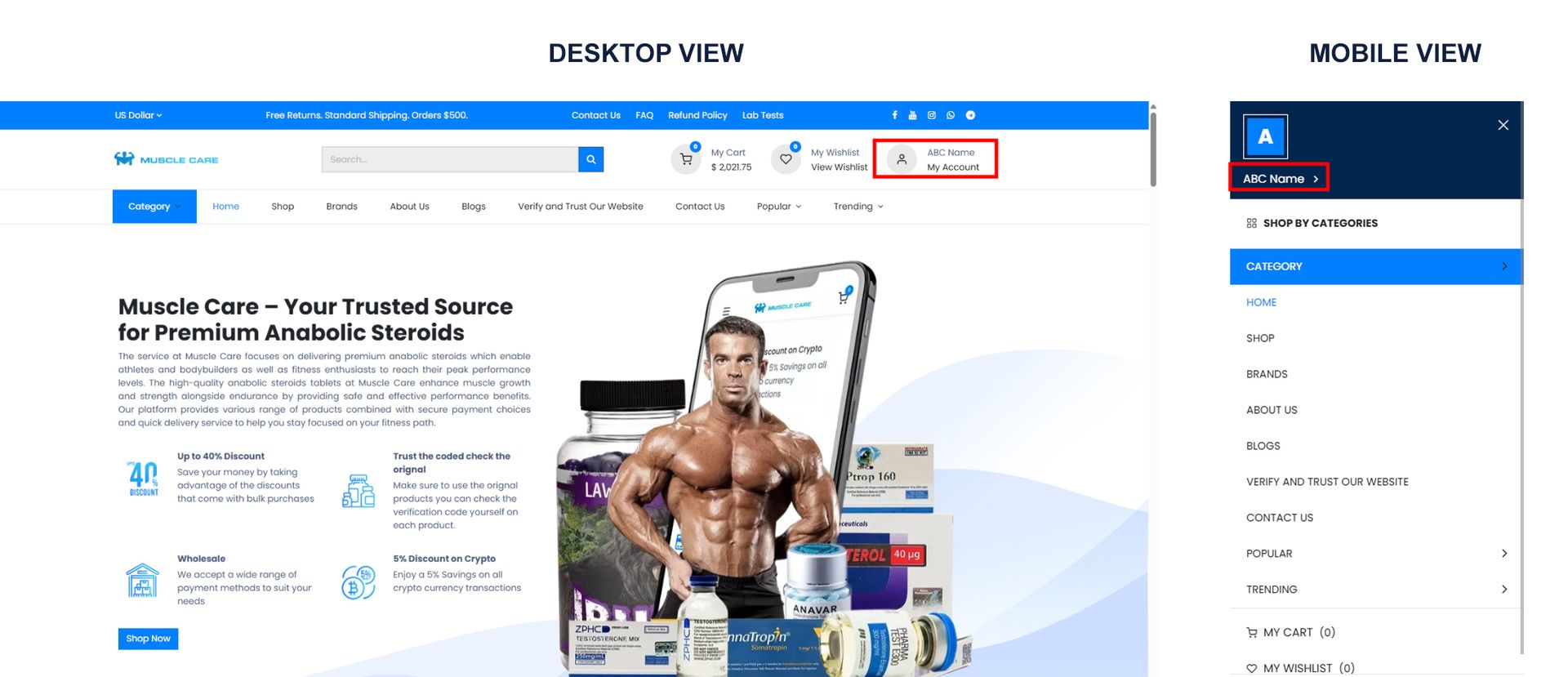
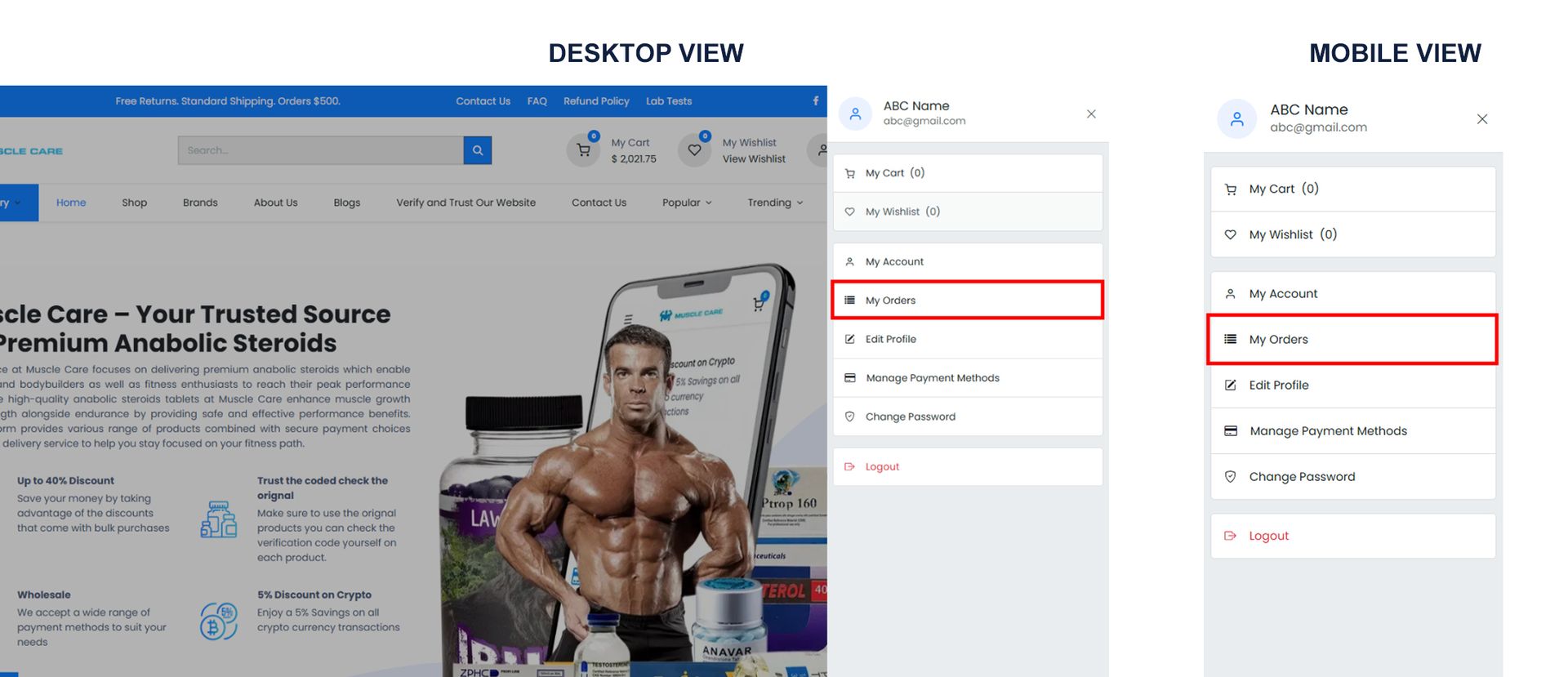
To access your account, tap the profile icon or menu (3 dashes) at the top of the main page and select My Account.
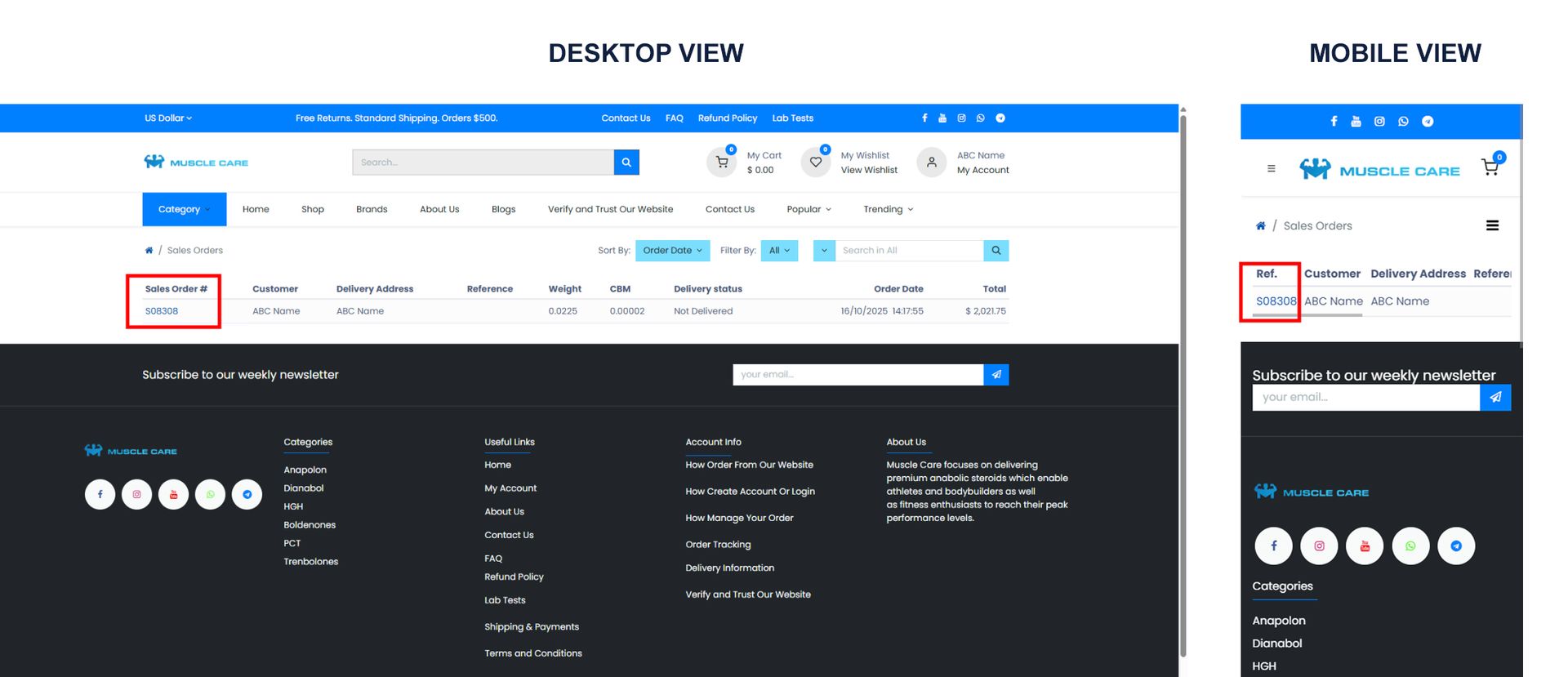
Go to Sales Orders, choose the relevant order, and click its order number.
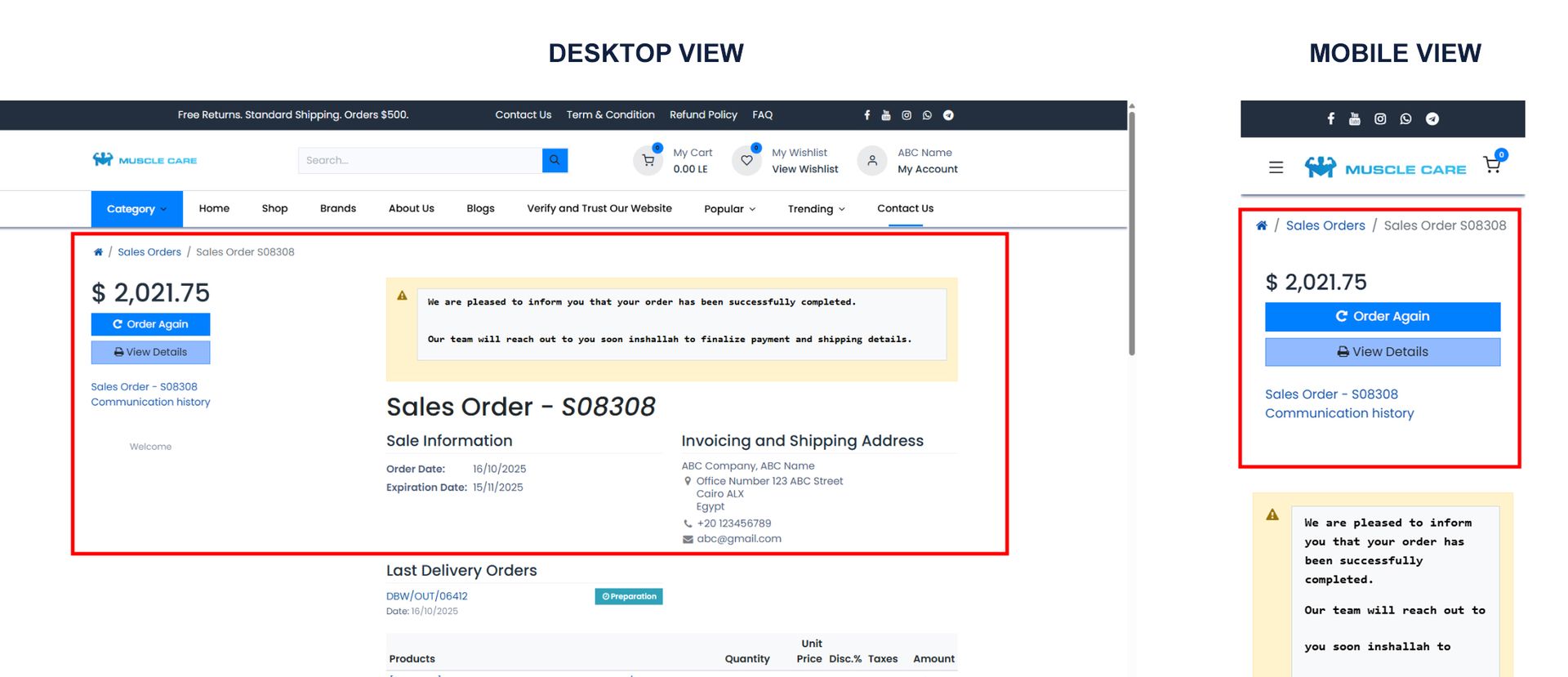
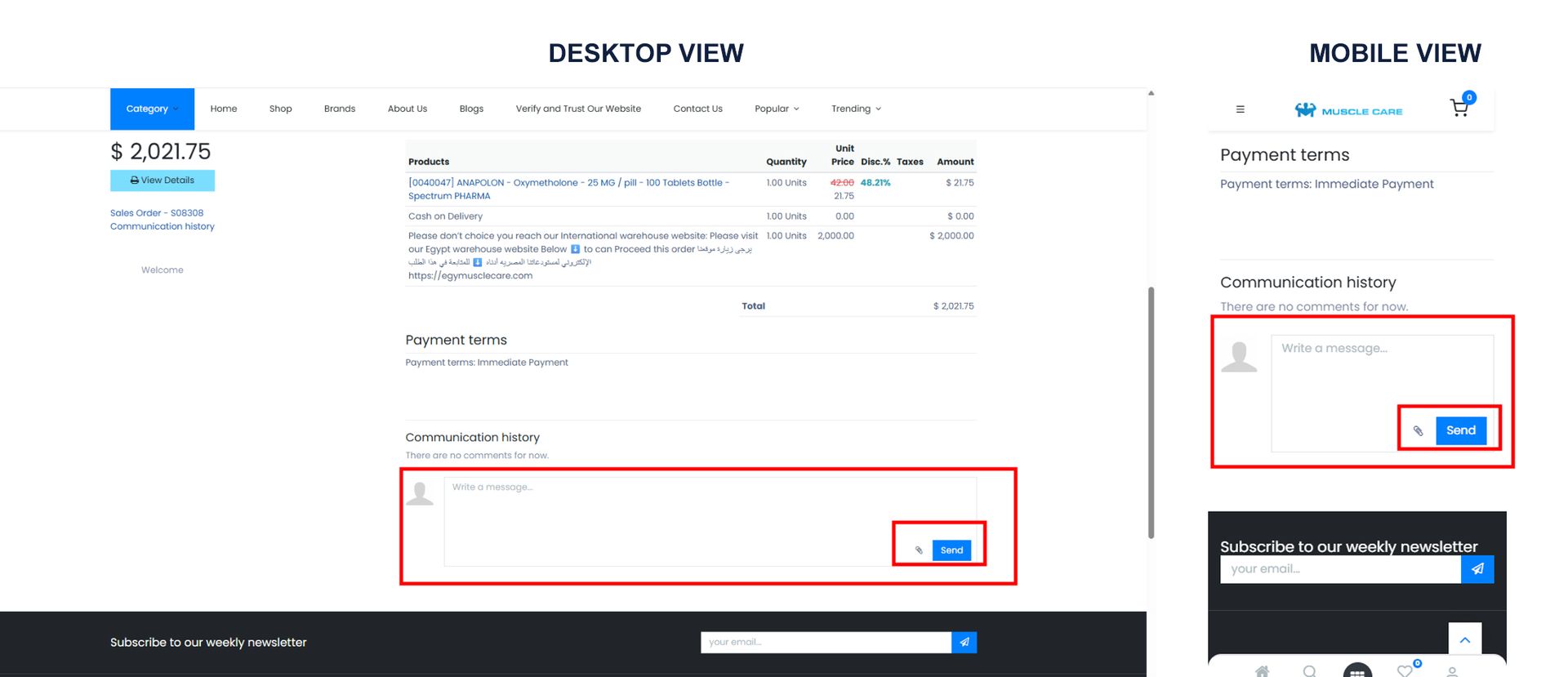
To chat or add an attachment, use the write a message... textbox, attach files if needed by clicking the Attach icon next to the Send button, select your file, then click send. Our team’s replies will appear below this box.
To view your order invoice once our team processed, find it under the Last Invoice menu and click the invoice number (INV/year/order number).
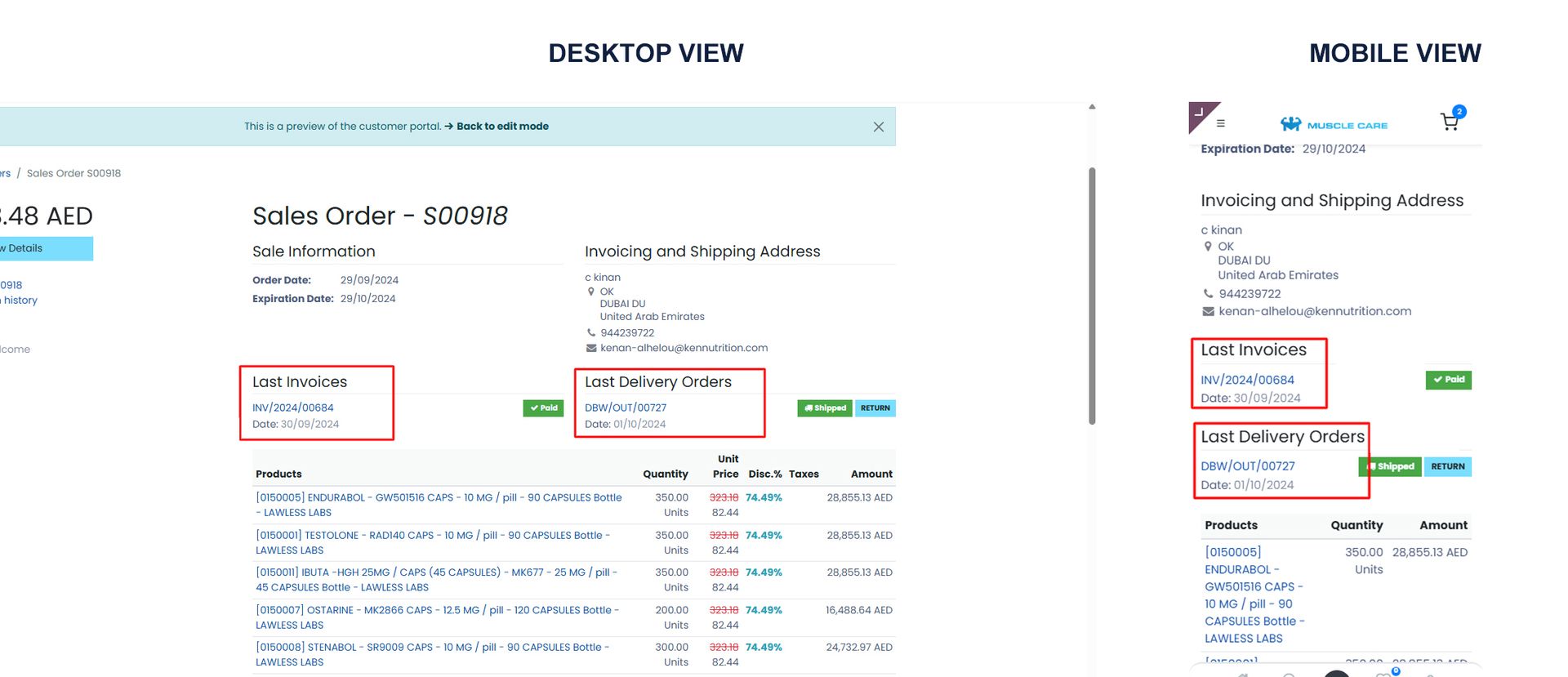
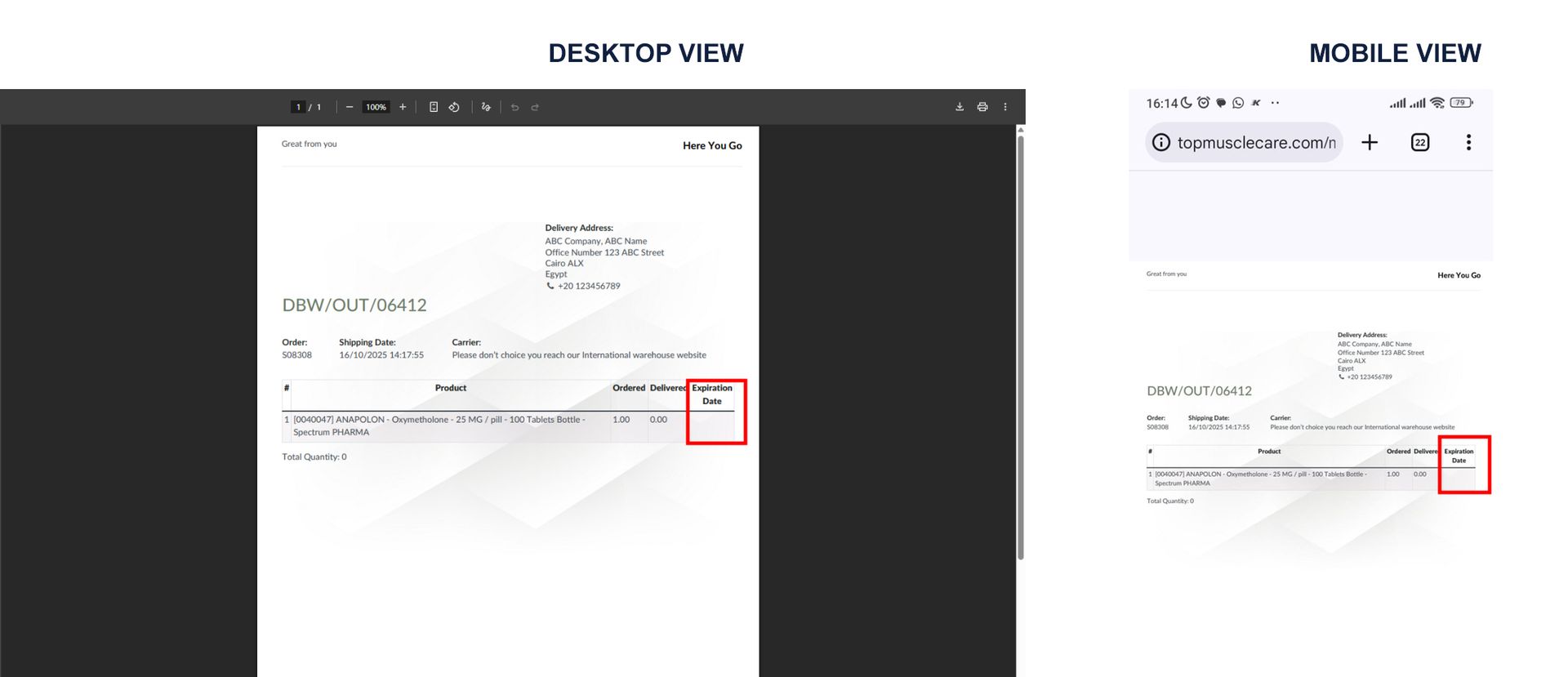
To check product expiration dates, click your delivery order number (XXX/OUT/order number) in the Last Delivery Orders menu — expiration details show after validation (usually within 1–2 days).
Order product photos will appear beneath the message box once our team uploads them.