Create and Login Account
Account Creation, Login, Password Changes, and Team Assistance
Create your account
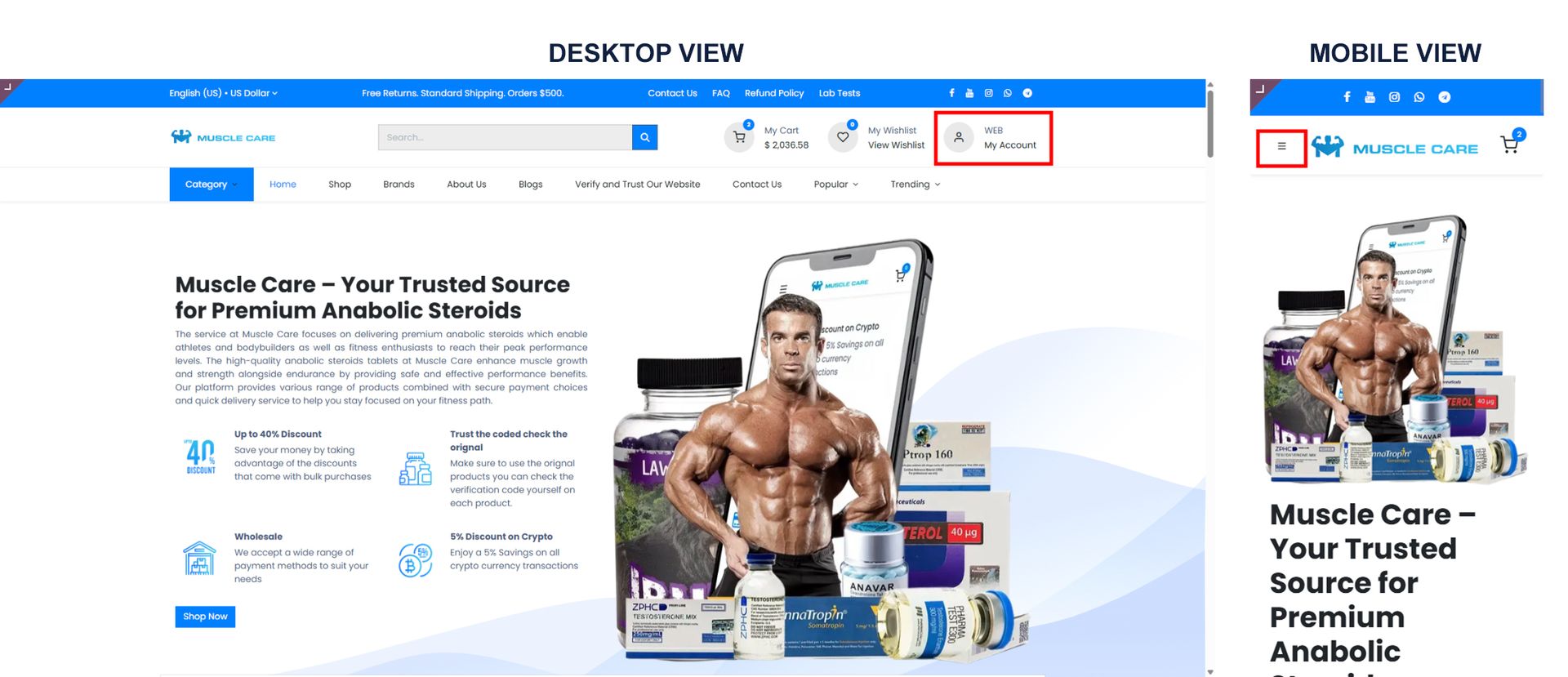
Click the profile icon or the menu (3 dashes) at the top of the main page.
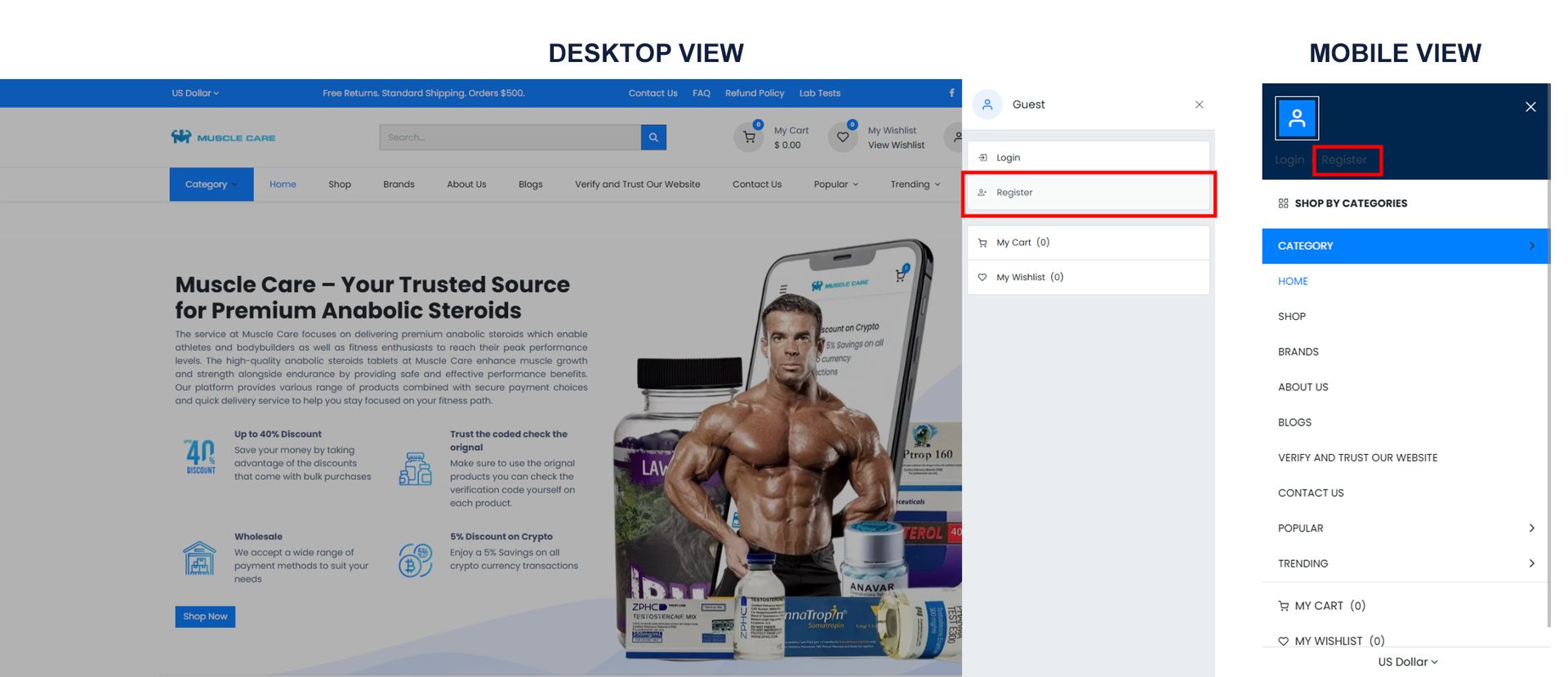
Select register.
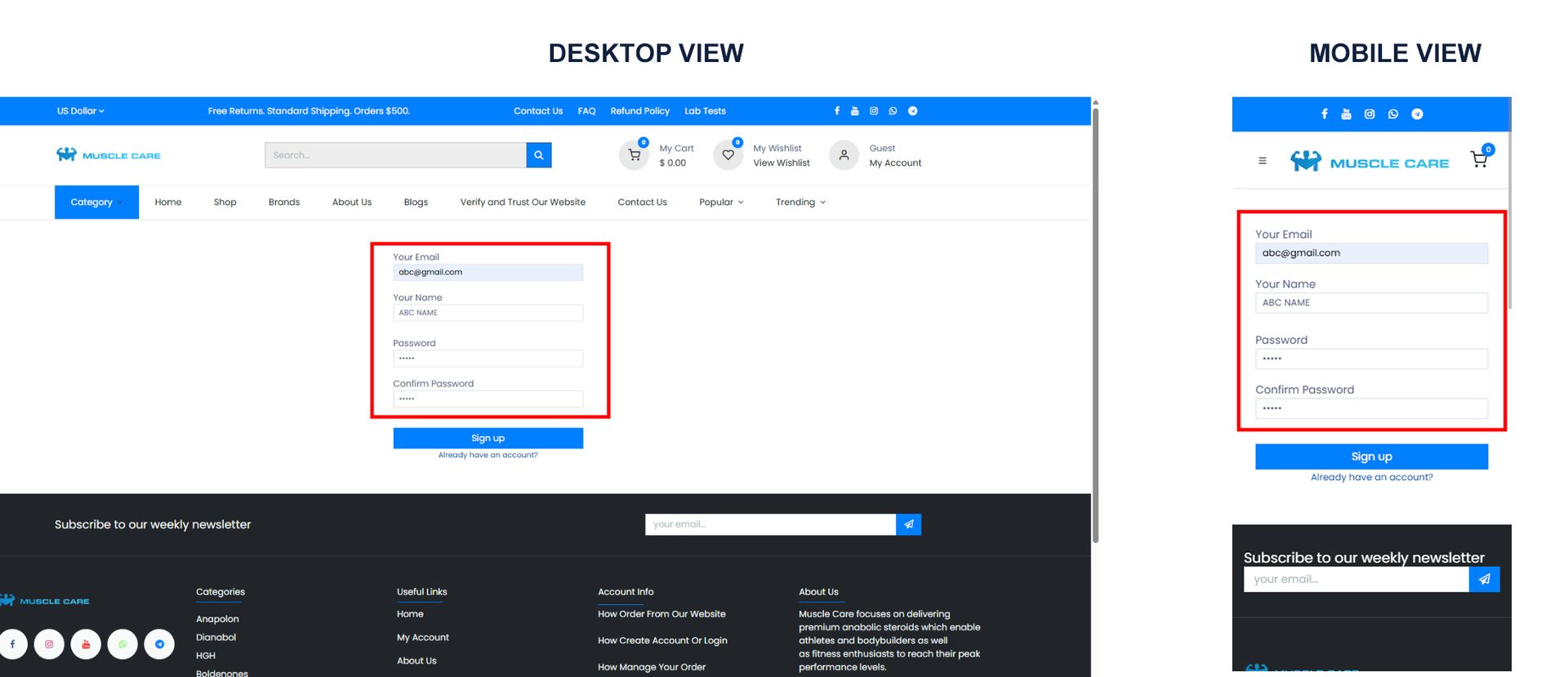
Fill in the required information and click sign up.
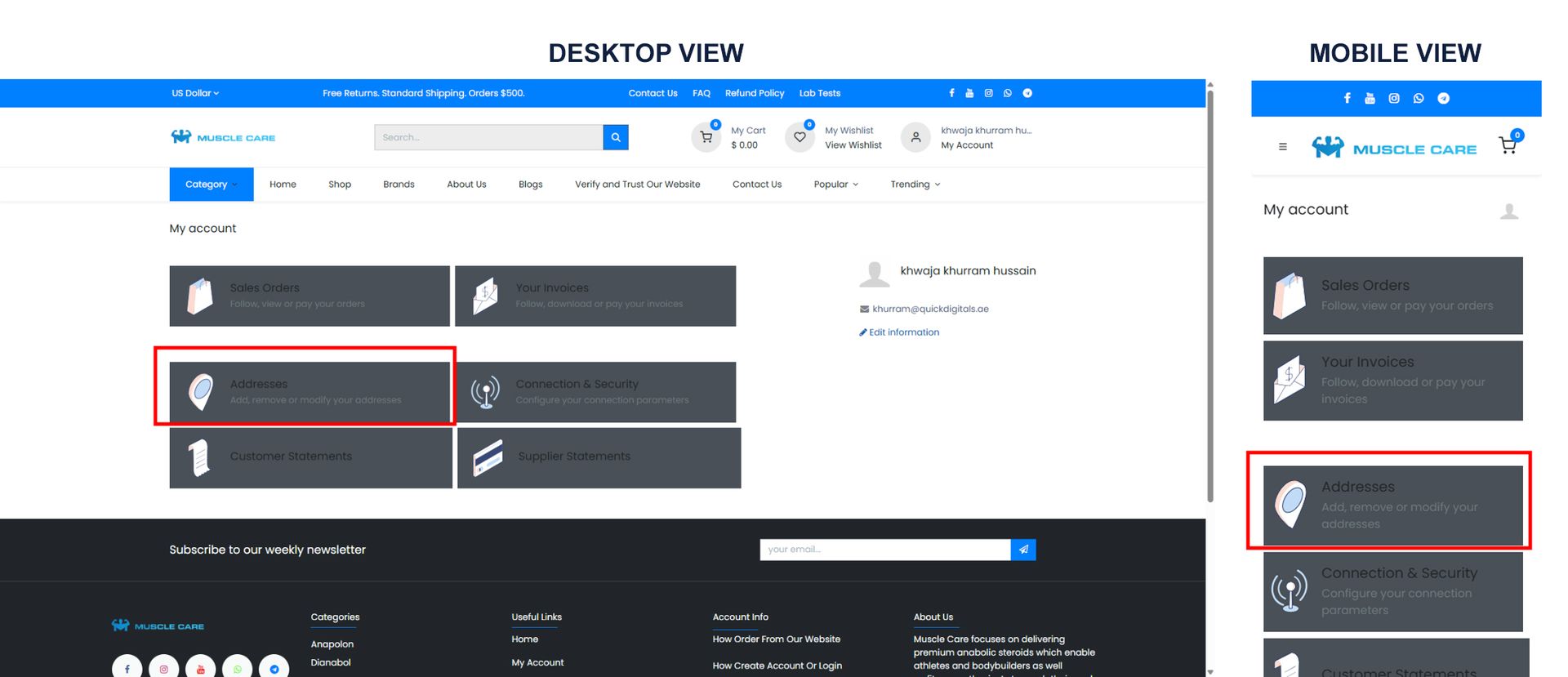
Navigate to addresses.
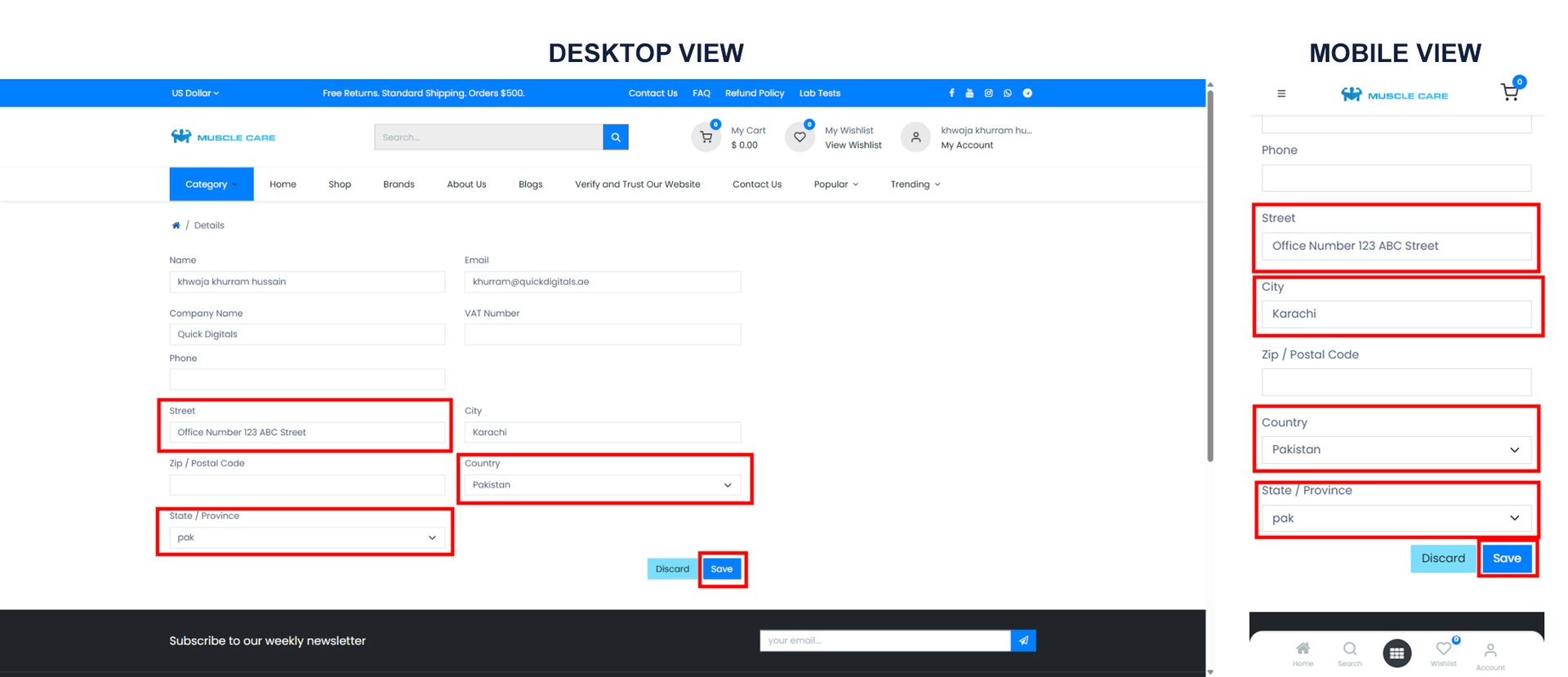
Enter your country and address.
Click save.
Login
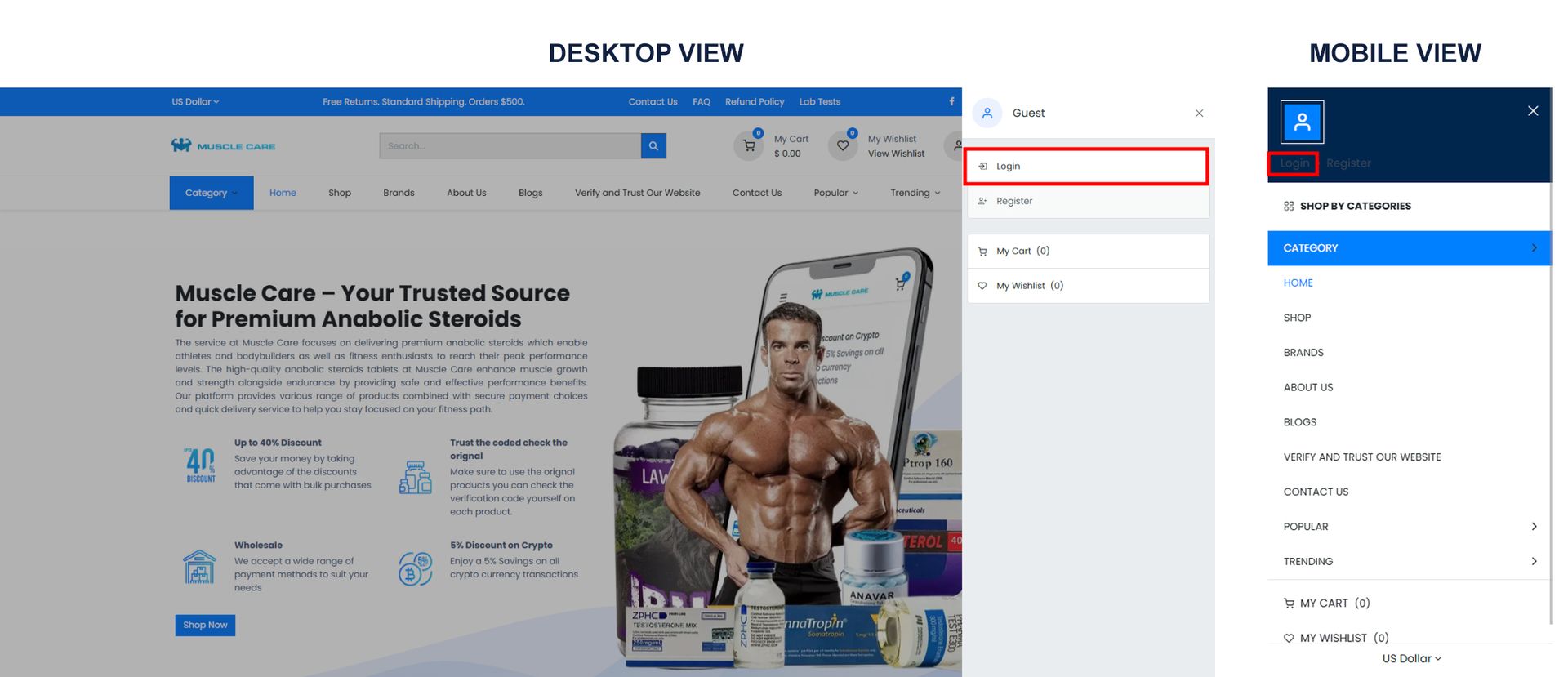
Click the profile icon or the menu (3 dashes) at the top of the main page.
Select login.
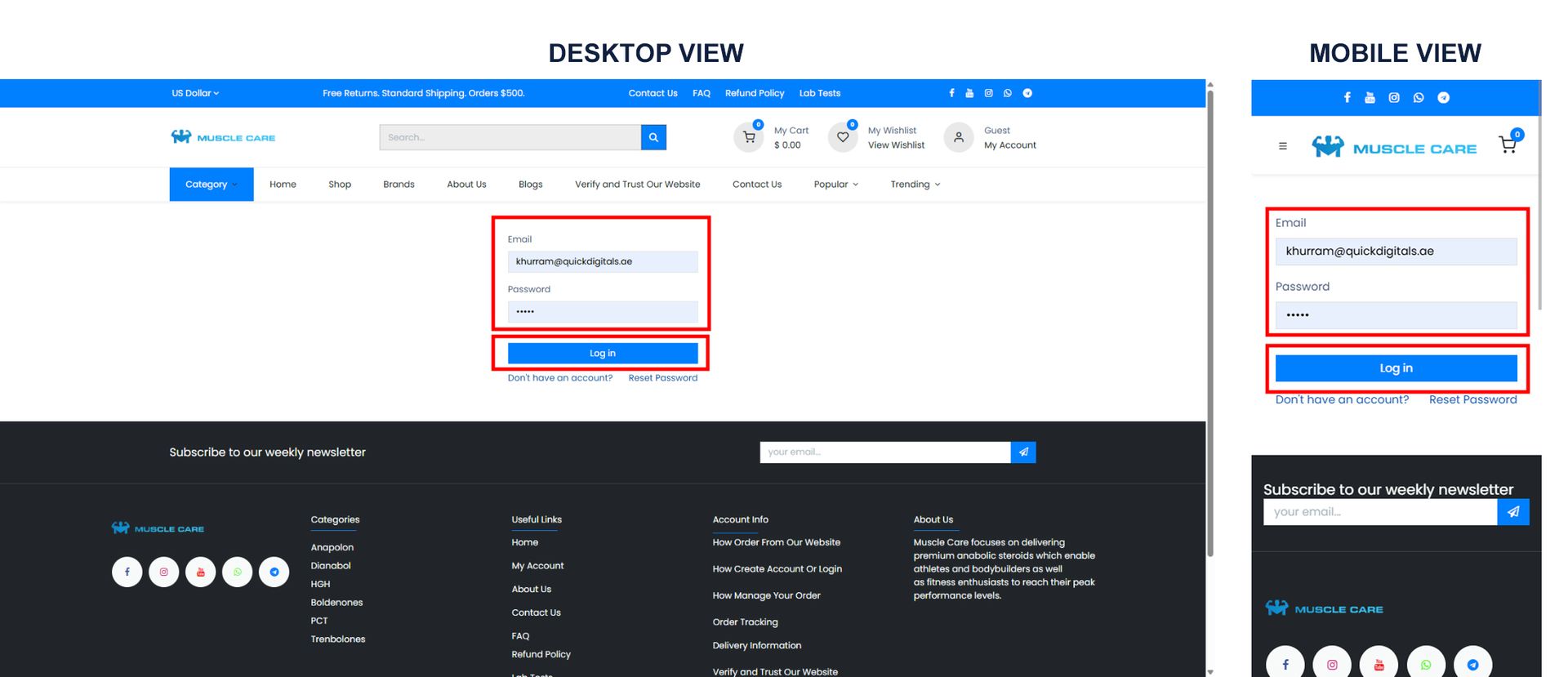
Enter your email as used during registration, ensuring all characters match the original case, exactly as provided, maintaining capitalization for all letters.
Enter your password.
Click login.
If you forget your password or would like the team to create an account for you
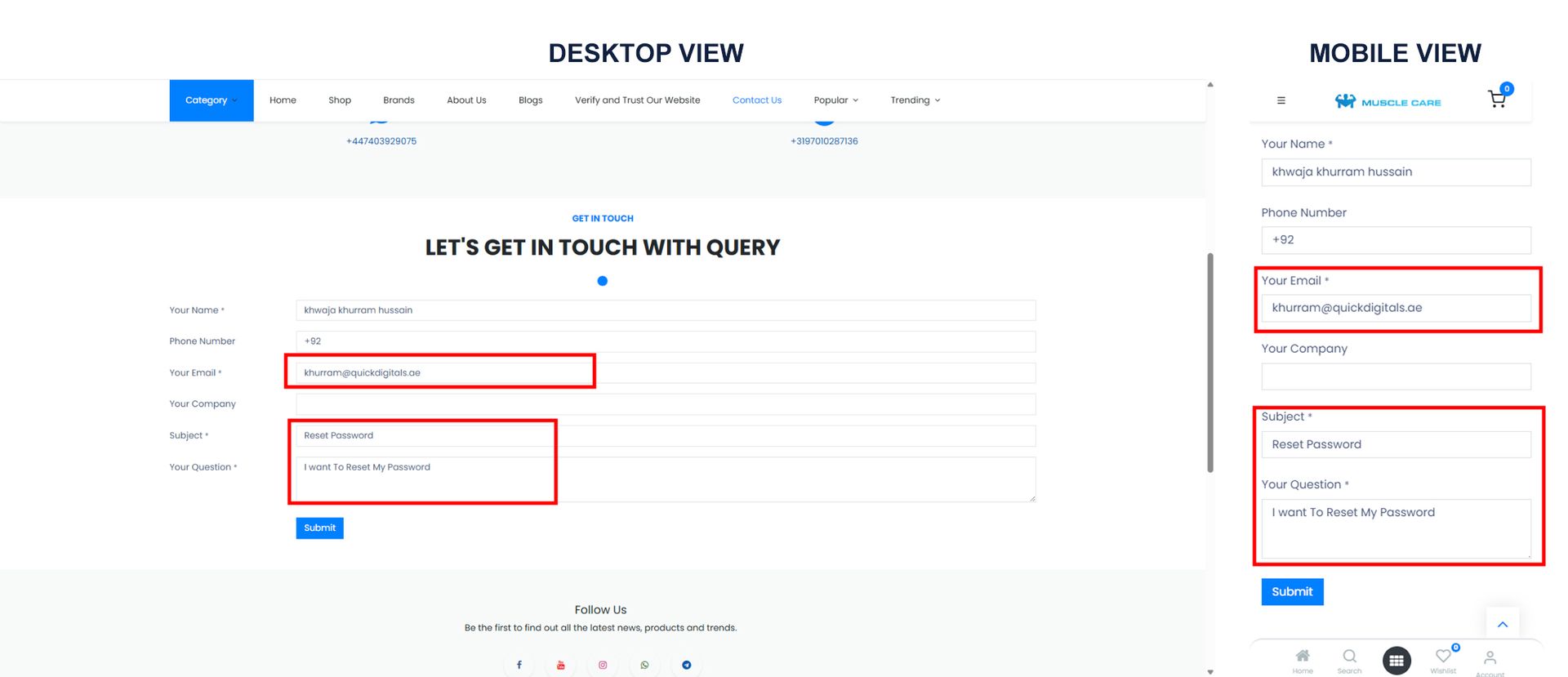
Contact support using the information on the contact page and provide your email.
A reset password link will be sent to you; use the link to create a new password and then log in using your email and updated password each time.
- Always enter your email exactly as provided, maintaining capitalization for all letters.
Change password
Click the profile icon or the menu (3 dashes) at the top of the main page.
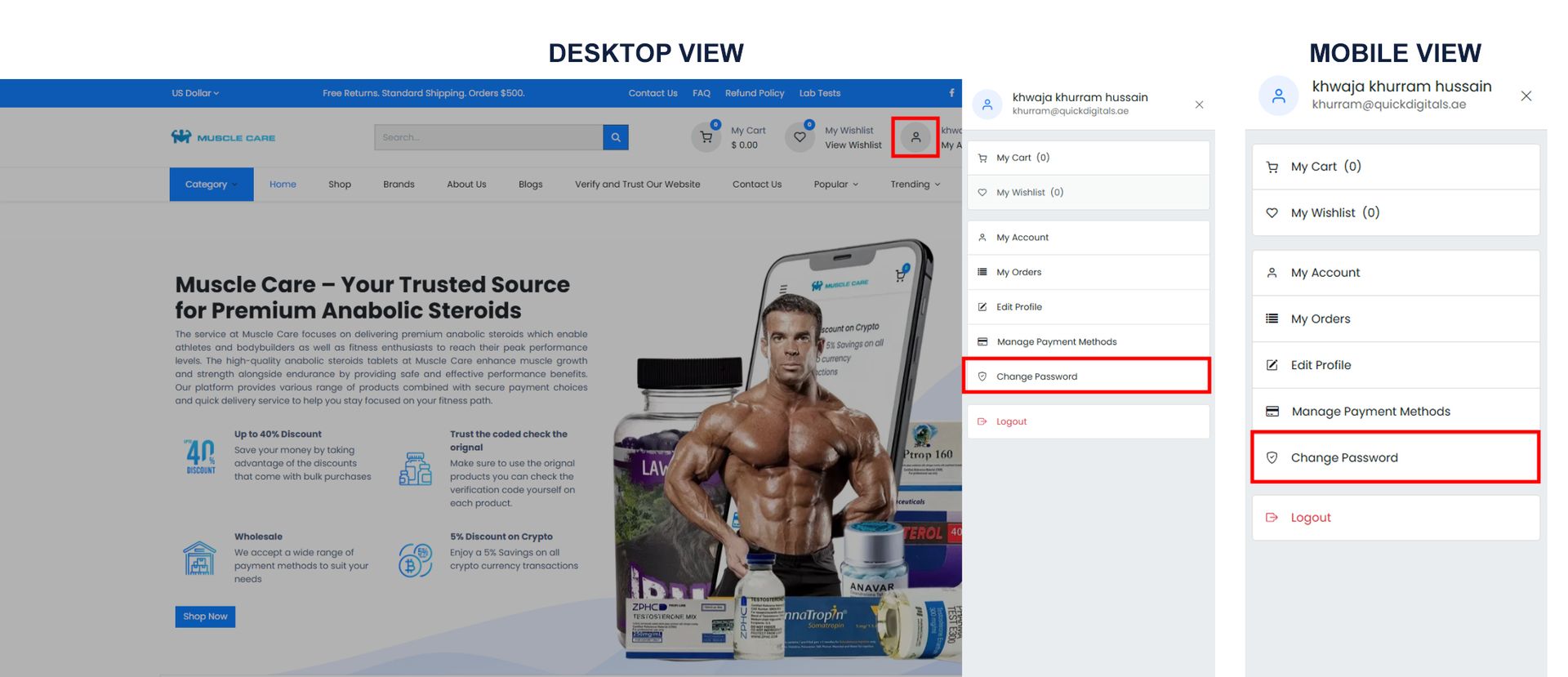
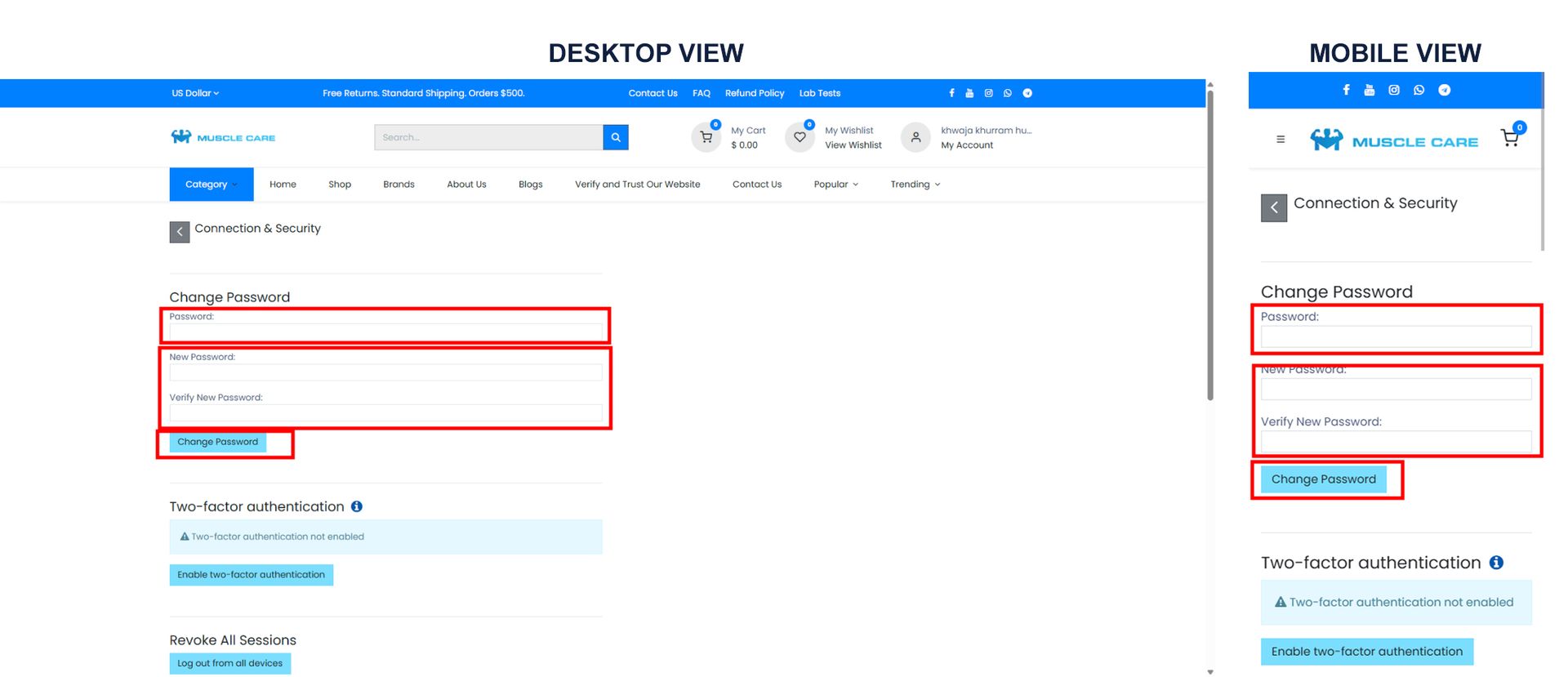
Select change password.
Enter your current password.
Enter your new password.
Re-enter the new password for confirmation.
Click change password.